tutezy.aiBook a demo

Personalised learning · AI live classes

Every student gets a live teacher. Every minute.

Tutezy turns the content you already have into live whiteboard lessons: a teacher who speaks in your voice and face, asks, listens, corrects, and comes back to what each student found hard. In English and Hindi. Paid per minute, not per seat.

  • ✓ Works with your videos, PDFs & slides
  • ✓ Your teacher's voice & avatar
  • ✓ Reports for every student
asks · listens · corrects
Physics · Force and motion · Board 1 of 4Live

    Board is clear. Ready when you are.

    R

    Riya Ma'am

    Speaking

    Namaste Priya! Today: what makes a force, and how we measure it.

    🎤 AnswerType or speak…
    ₹3 / min · no seats

    From your content to a live class, in three steps

    No re-authoring. No scripts to write. The lesson comes from what your teachers already made.

    1. 01

      Bring what you already teach with

      Slides, PDFs (even scanned), recorded videos, question banks. Tutezy reads them — transcribing videos and OCR-ing scans — and shows the credit cost before it converts anything.

      PDFVideoSlidesQuiz
    2. 02

      Tutezy compiles a lesson plan per slide

      Boards, examples, diagrams, quick checks, hints and a recap — reviewed for quality before a student ever sees it. Your teacher name, voice, pace and strictness are set once per institute or per course.

      1. Board 1 · Define
      2. Board 2 · Example + diagram
      3. Check · MCQ
      4. Board 3 · Recap
    3. 03

      Students learn live, one to one

      The teacher writes on the board while speaking, asks a question, waits, nudges if the student goes quiet, corrects with a hint, and comes back later to the concepts they got wrong. Every lesson ends with notes and a summary.

      RLive · 12:04

    Inside a Tutezy lesson

    Everything a good one-to-one tutor does, done for every student at once.

    Photosynthesis

    ● Light + CO₂ + H₂O → sugar + O₂

    ● Happens in the chloroplast…

    A whiteboard that writes as the teacher speaks

    Headings, bullets, tables, diagrams and worked examples appear sentence by sentence — the way a good teacher paces a board, not a slide dump.

    Which gas do plants take in?

    Oxygen?

    Close — look at the arrow. What goes in?

    Asks, waits, and actually listens

    MCQs, short answers and predict-then-reveal prompts. Students answer by voice or text. Silence for a minute? The teacher nudges. Wrong? A hint first, then the answer kept on the board.

    • Light reaction
    • Gas exchange revisit
    • Chloroplast

    Comes back to what was hard

    Every miss is tracked per concept. Before moving on, the teacher revisits the weak ones with a fresh question, and the next lesson opens with a recap written by the model.

    R

    Riya Ma'am

    Cloned voice · Avatar on

    Your teacher's voice and face

    Clone a teacher's voice from a 15-second sample. Add an animated, lip-synced avatar built from one photo — or pick a stock one. Consent-gated and private to your institute.

    SlowerSlowMedium ✓FastEnglishहिंदी

    Students set the pace and the language

    Slower, slow, medium, fast — and a switch between English and Hindi mid-lesson. The board and the voice follow. Notes are written live and kept.

    Insights your academic head can act on

    Per-student concept mastery, weak spots across a batch, minutes taught, and a CSV export for the whole institute. Every credit spent is itemised.

    No sign-up · 3 minutes · voice or text

    Don't take our word for it. Take a lesson.

    Tell the teacher your name, pick a topic, and she starts teaching — board, voice, questions and all. One free session per visitor.

    Start my 3-minute lesson →

    Not just courses. Every session an institute runs.

    Anything a teacher does one to one, Tutezy can do for every student — with a record of what each of them understood.

    Course lessons

    Every chapter of an existing course becomes a live, one-to-one lesson the student can question.

    Doubt-solving sessions

    Students bring the doubt; the teacher explains on the board, checks they got it, and logs the concept for the human teacher.

    Post-assessment solution sessions

    After a test, each student is walked through the questions they got wrong — their mistakes, not the class average.

    Mentoring & study planning

    Weekly check-ins on what to study next, paced to the student's weak concepts and the exam calendar.

    Interview & viva preparation

    Mock questions asked aloud, answers heard and graded, model answers written on the board — as many rounds as they want.

    Revision before exams

    Rapid-fire recap boards from the whole syllabus with quick checks, in the student's preferred language and pace.

    Spoken language practice

    Conversation drills in English or Hindi with instant correction — the teacher listens and replies by voice.

    Onboarding & training

    Product, process or compliance training for staff and franchise partners, with a record of who understood what.

    Same teacher, every screen

    Your teachers, in every student's room

    The board they would draw. The words they would use. The voice students already trust. Tutezy keeps the teacher at the centre and simply lets them be in a hundred places at once — while they see, next morning, exactly who needs them in person.

    • ✓ Teacher name, photo, voice, avatar
    • ✓ Strictness: gentle, normal, strict
    • ✓ English & Hindi, per course
    • ✓ Weak concepts, per student
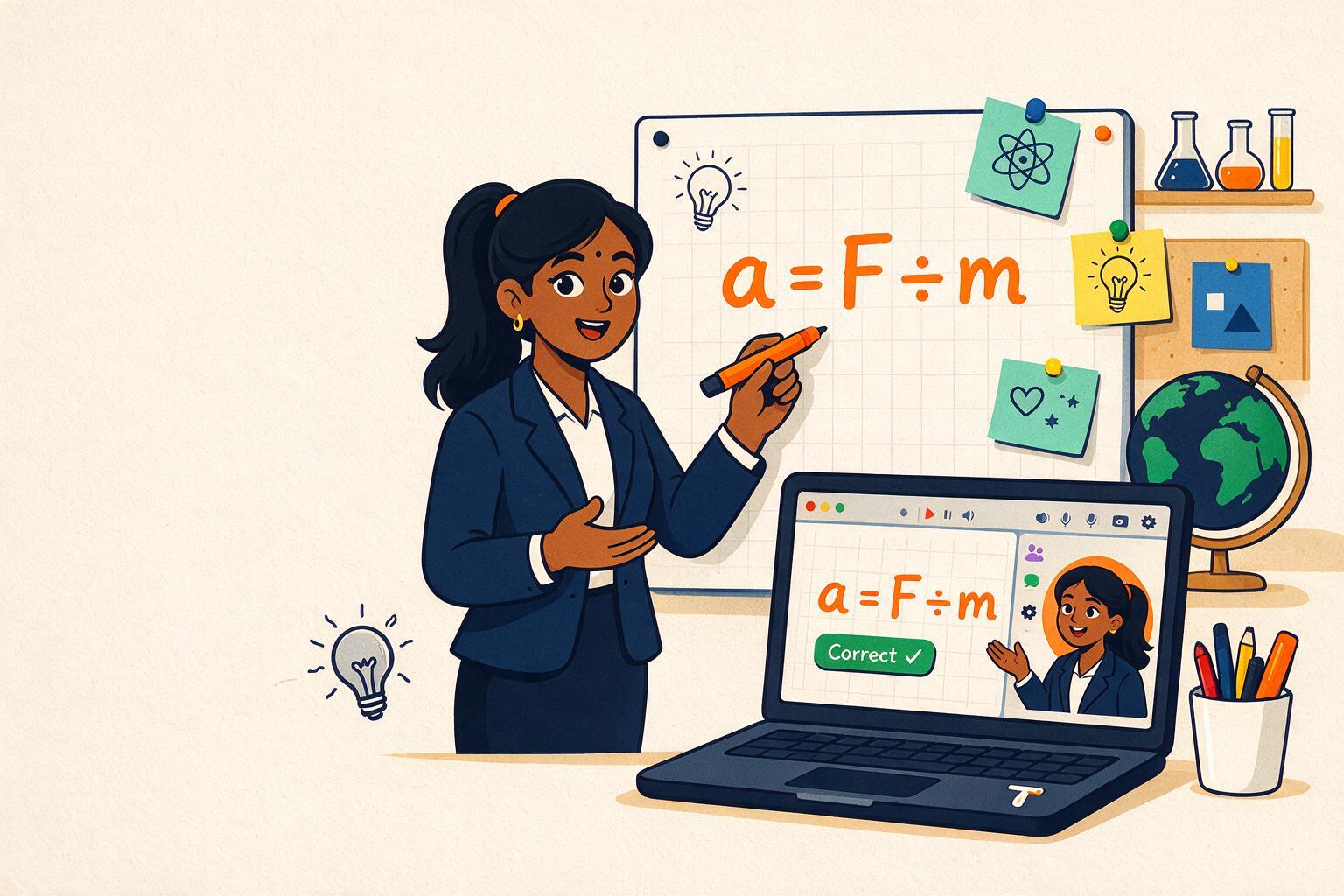
    A teacher writing a = F ÷ m on a whiteboard, with the same lesson and her avatar on a laptop

    Setting it up takes an afternoon, not a project

    Four screens. No content team, no scripts, no new app for students.

    1. 1

      Turn on Tutor Mode

      In the Vacademy admin, open Settings → Tutor Mode. Name the teacher, upload a photo, pick a voice (or clone yours), choose English/Hindi and strictness. Every course inherits these; any course can override.

      admin.vacademy.io
      Tutor Mode settings: teacher name, voice, avatar, languages
    2. 2

      Pick a course and see the cost

      Open any course's Tutor Mode tab. Tutezy lists every slide — PDFs, videos, slides, quizzes — and shows the credits it will take to convert them before you press anything.

      admin.vacademy.io
      A course's Tutor Mode tab with the credit estimate
    3. 3

      Compile and review

      One click compiles a teaching plan per slide: boards, examples, diagrams, checks, hints, recap. Preview any board exactly as the student will see it; recompile the ones you want tighter.

      admin.vacademy.io
      A compiled lesson plan with its boards and checks
    4. 4

      Students learn. You get the insights.

      Learners find a 'Learn with the teacher' button on every converted chapter. Insights show concept mastery per student and per batch, minutes taught, and a CSV for the academic head.

      admin.vacademy.io
      Tutor insights: weak concepts per student and per batch

    Built for institutes. Loved by solo teachers.

    Coaching & institutes

    Doubt-clearing that scales with the batch, not the staff

    • ▸ Turn on Tutor Mode per course; every existing chapter becomes a live lesson.
    • ▸ One set of institute defaults: teacher name, voice, avatar, languages, strictness. Courses override what they need.
    • ▸ Prepaid credits with a live balance; lessons stop politely when it runs out. No surprise bills.
    • ▸ Batch-level insights and CSV export for academic heads; per-student weak concepts for teachers.
    • ▸ Runs inside the Vacademy learner app you already ship — web, Android, iOS.

    Solo teachers & creators

    Be in every student's room, in your own voice

    • ▸ Upload your recorded lectures; Tutezy turns them into interactive lessons students can question.
    • ▸ Clone your voice once, add your avatar, and every learner gets you, one to one.
    • ▸ Pay only for minutes actually taught — start with a few hundred rupees of credits.
    • ▸ See who is stuck where, before the next live class.

    See it teach your own chapter. We set it up on the call.

    Book a demo

    Pay per minute. No seats, no minimums.

    Buy credits, use them across every course and every student. A minute only counts while a student is actually in a lesson.

    Live lesson

    3 /min

    Per student, per minute of lesson. Voice or text, whiteboard, checks, revisits, notes and insights included.

    With animated avatar

    5 /min

    Everything above, plus a lip-synced teacher on screen. Students can hide it; you pay only while it is shown.

    Teacher voice clone

    2,000

    One-time, per voice. A 15-second sample; private to your institute.

    Custom teacher avatar

    10,000

    One-time, per teacher. Built from one photo, with consent. Stock avatars are free.

    What a batch costs

    100 students × 30 minutes of live lessons

    ₹9,000

    3,000 minutes at 3/min. Lesson preparation is a small one-time cost per slide and is shown before you convert.

    • ✓ Credits never expire while your account is active
    • ✓ Live balance, itemised usage, CSV export
    • ✓ Volume pricing for institutes above 1,000 students
    Get a quote on the demo

    See Tutezy teach your chapter

    A 20-minute call. Bring one chapter — a PDF, a recording or slides — and we convert it live, in your teacher's voice if you like.

    1. 1 We call you on WhatsApp within a working day to fix a slot.
    2. 2 On the call: your content in, a live lesson out, pricing for your numbers.
    3. 3 Pilot with one batch. Credits to start are on us.
    Prefer WhatsApp? Message us →

    Book a demo

    No spam. One WhatsApp message to fix the slot, that's it.

    Questions institutes ask us

    Does it replace our teachers?+

    No. It multiplies them. Your teachers' content, name, voice and face teach every student one to one, while the teacher sees who is stuck where before the next live class.

    What content works?+

    PDFs (including scanned ones — we OCR them), recorded videos (we transcribe them), slides and presentations, and question banks. You see the credit cost before anything is converted.

    Which languages?+

    Lessons are taught in English and Hindi today, and a student can switch mid-lesson. More Indian languages are on the roadmap; ask on the demo.

    How does pricing work?+

    Prepaid credits. A live lesson costs ₹3 ($0.03) per student per minute, ₹5 ($0.05) with the animated avatar on. Voice cloning is ₹2,000 ($20) per voice and a custom avatar ₹10,000 ($100) per teacher, one time. There are no seat licences.

    Is the teacher's likeness safe?+

    Voice clones and avatars are created only with recorded consent, are private to your institute, and can be disabled at any time. Nobody else on the platform can pick them.

    Do students need a new app?+

    No. Tutezy runs inside the Vacademy learner app — web, Android and iOS — next to your courses, tests and live classes. If you are not on Vacademy yet, the demo covers onboarding.